

CLOSE

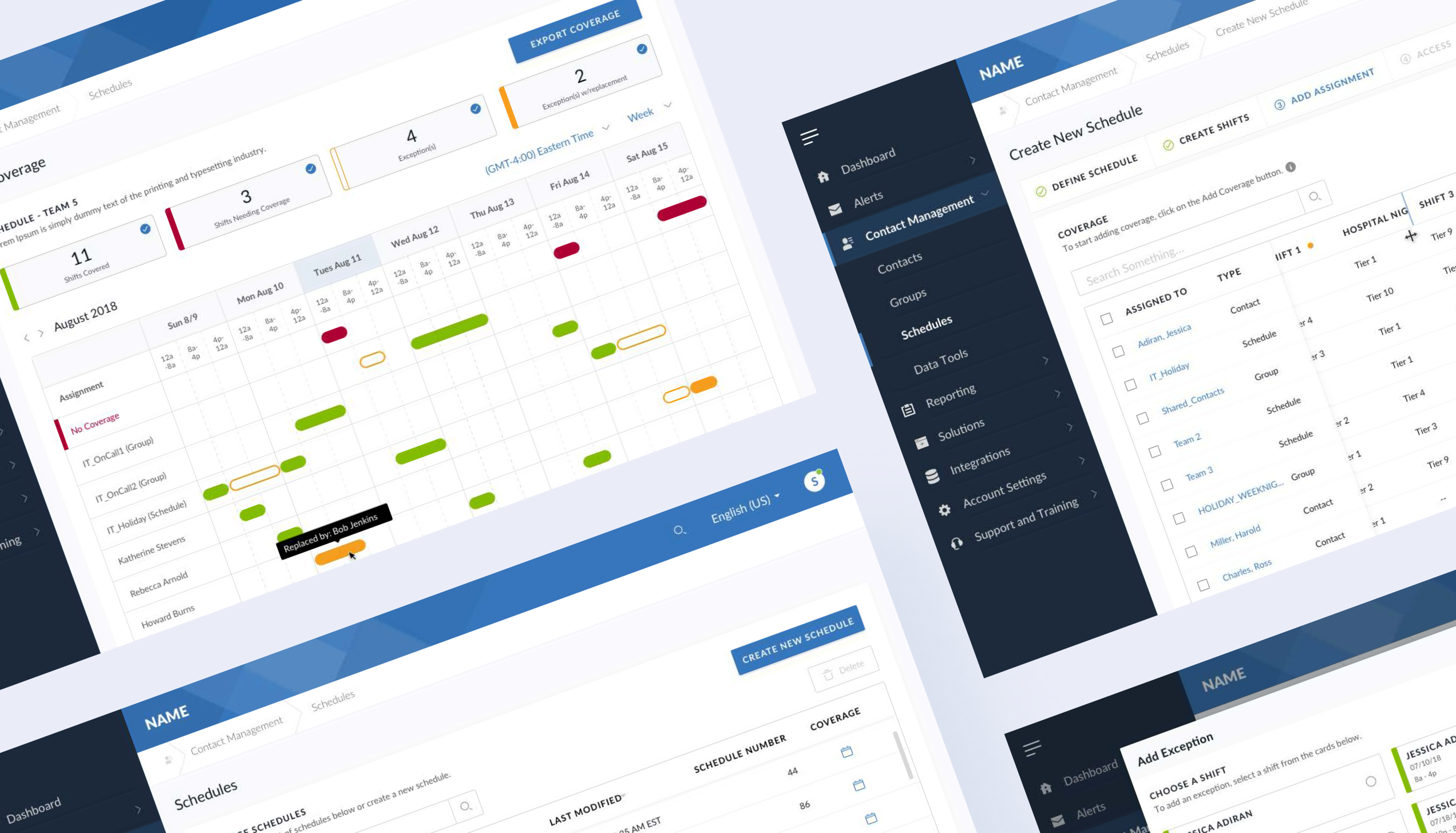
In the fall of 2017, I was introduced to a project for a company called Onsolve (now part of the Crisis24 platform).
Onsolve is a leading innovator in the space of emergency notification applications. They had recently made multiple acquisitions of similar product companies in the emergency alert space. I had worked with one of those companies previously (called: One Call Now - an organization specializing in church group notifications) making UX/UI changes to their native mobile app.
Our goal was to help create buy in from stakeholders for creating a design system for the visual team at Onsolve. Once that was achieved, we would help them build their visual components and documentation from the ground up. Their design team, including myself, would in turn use that system to design and ship desktop and mobile responsive pages rapidly.
Before we could dive into creating a design system, we first had to do some leg work to learn where each system was from a UI perspective. Our process can be summed up in these main steps:
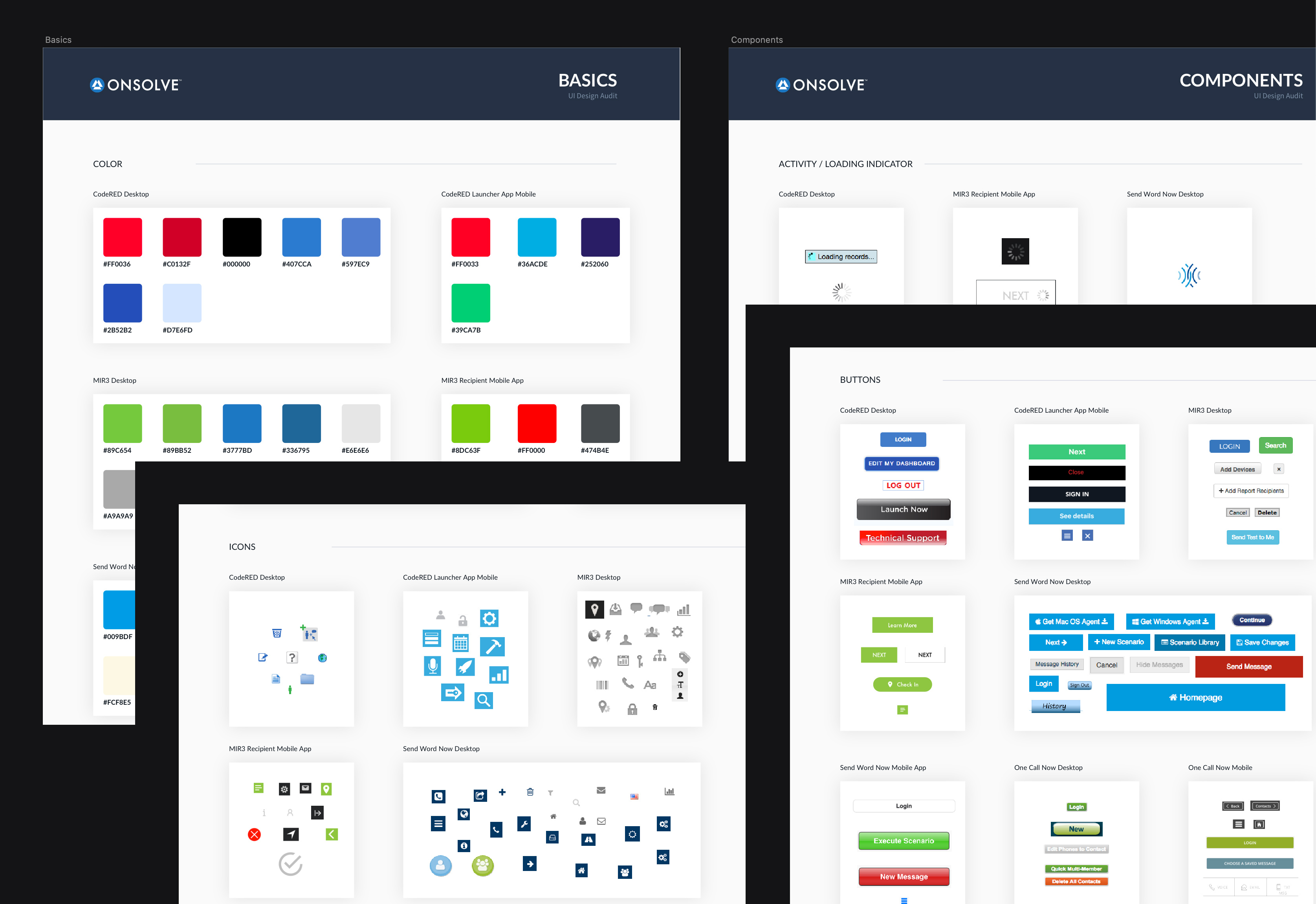
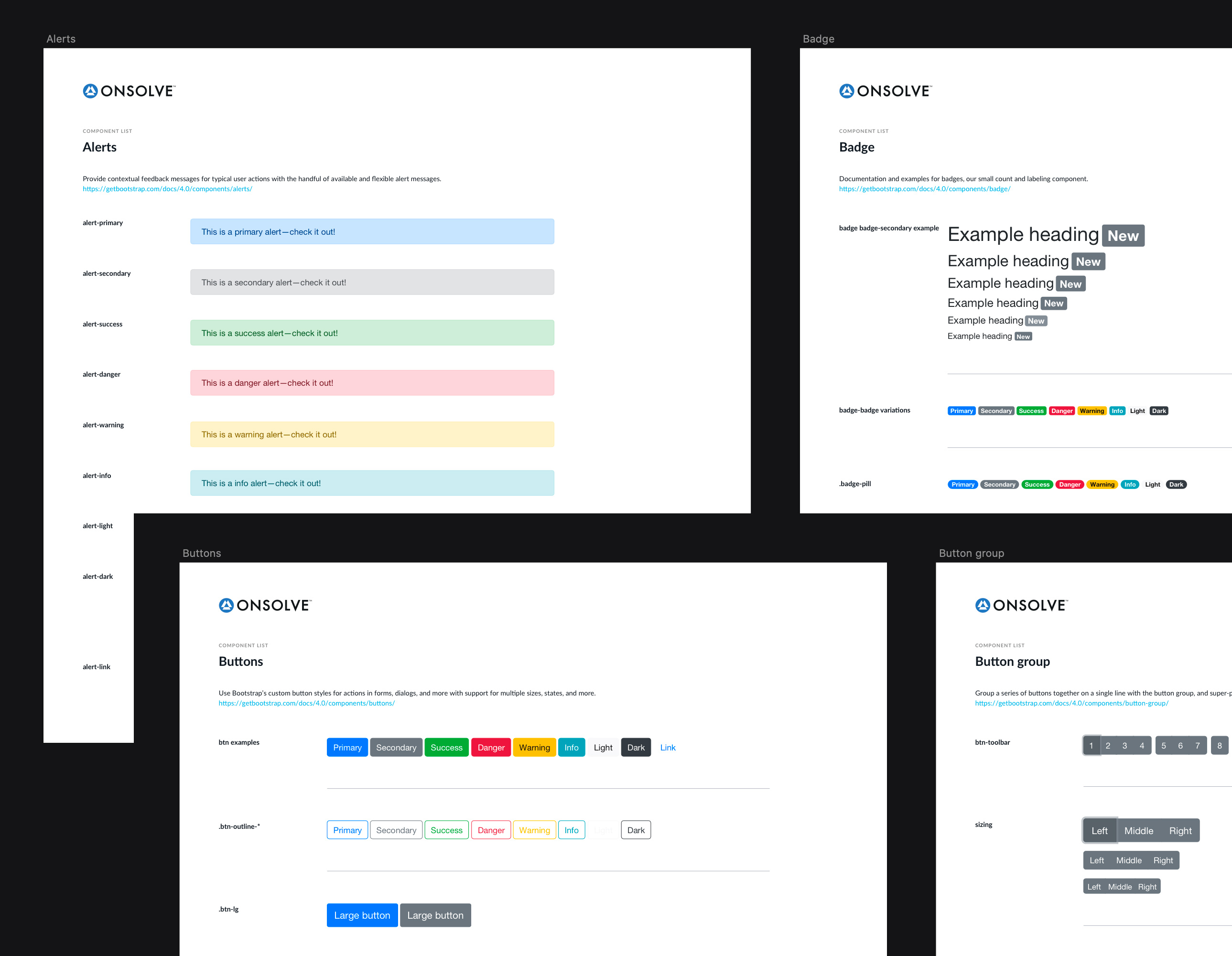
Once we had shown stakeholders the visual inconsistency of their products, we had a green light to start crafting a new system with a clean slate.It was predetermined that the development team would be using the latest version of Bootstrap for their code base, which meant components we created would need to be based off that library. At that time Bootstrap 4 had just rolled out their second beta release. Up to that point, no design libraries existed that we could use within that system.That meant we would be building an entirely new library from scratch using the specs and documentation Bootstrap provided. Our road map would be that the v1 of the design system would be a basic Bootstrap library, followed by an Onsolve branded version that could grow to include components that the design team could pull from.
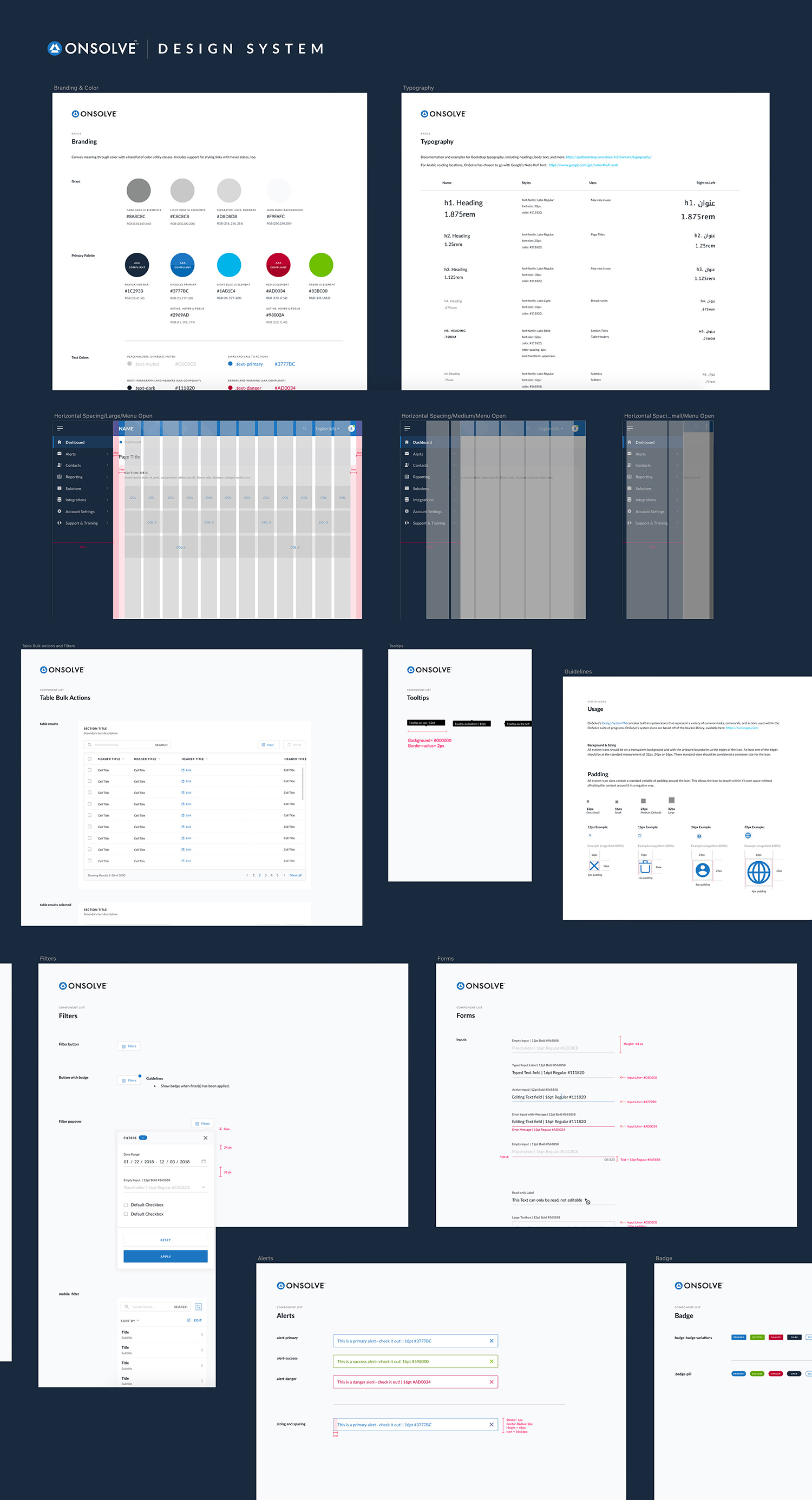
With our new v1 system in place we were able branch out and build a larger scale system. In addition to building out new components, I was tasked with creating and maintaining the new design system. Another one of my main focal points was to make sure we had ADA compliant components in the system (meaning colors and typography met strict guidelines for accessibility) and also documented the guidelines in the new system for developers to adhere to.
While still maintaining the new system, I was asked to shift some of my focus to help solve complex UX problems in the alert scheduling aspect of Onsolve's products. This was a great test for the new design system and it paid off dividends in helping shrink our timeline for building such a custom scheduling system within a large scale application.
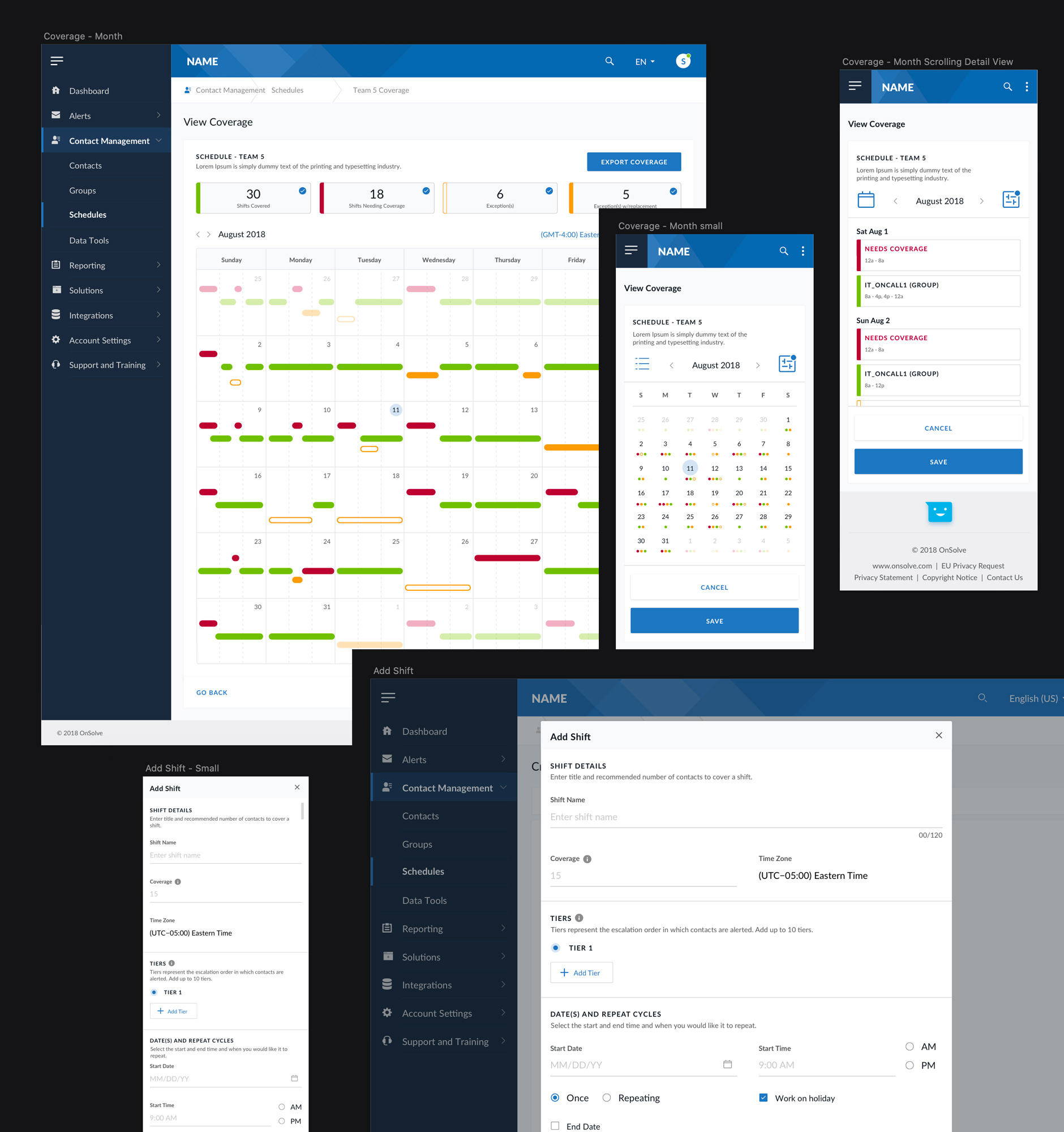
As this project came to a close, I was happy to be able to help test our the new design system in various areas, including Scheduling. It was a complete success and handed off to development rather seamlessly. There were many tools used in the project that I didn't cover, but it was a great experience using new leading edge tools to help execute this project.
